Building two native mobile apps with Claude Opus 5.5
Published
For as long as I can remember, I’ve had more ideas for software than engineering time to build them. Working with Claude Opus 5.5 on native iOS and Android apps for Independent Vet changed my sense of what I could simply go ahead and do.
In a few days, with roughly US$5,000 in API credits and an existing website and dataset to build on, I had two feature-rich native apps that feel genuinely useful in my own testing. They let pet parents find independent veterinary practices, save a shortlist, and keep their pets’ records and medications together. Both apps are now in beta testing, and I’m excited to introduce them to the thousands of visitors the websites get each day.
Try the beta apps: iOS via TestFlight · Android via Google Play (send me your Google Play email address first). Contact me with feedback or if you need help getting access.
I’ve been using mobile apps since the Nokia Communicator and a jailbroken first-generation iPhone. In a previous startup, we created a prototype app around Apple’s ResearchKit when it was first released, but I’ve never taken an app end-to-end before. I feel like I have a good sense of what makes an app good and a reasonable intuition for how they should work. But I’m by no means a mobile app developer.
I had some API credits remaining and wanted to see how far I could get. What surprised me was how quickly the experiment became a pair of working apps that I could test, refine and prepare for submission.
Why build the apps?
Independent Vet helps pet parents find locally owned veterinary practices. The website already had a working map and the underlying practice data that gets used by a growing number of people each day. On a phone, I wanted to make that information more useful when someone needed to act on it.
A saved hotlist of practices was one example. If you need a vet quickly, having the practices you’ve already identified close at hand is useful. I also wanted pet parents to have their own place for pet records and medications, separate from whichever practice they happened to use. The apps include document scanning with optical character recognition, or OCR, to help turn information from documents into structured data.
I wanted proper native apps. I dislike apps that feel like a website squeezed into a frame, or that are sluggish and half-baked. The way navigation, screens and interactions feel matters to me.
I had also read about Shopify moving from React Native back to Swift and Kotlin. Its explanation resonated: coding agents had changed the economics of maintaining separate apps for each platform. I wanted to explore that frontier for myself.
From design to working apps
I began in Claude Design with a fairly light brief. We worked through the features, look and feel, tabs and navigation. The existing website gave us a design language and content display to draw on, and Claude Design produced wireframes for both platforms.
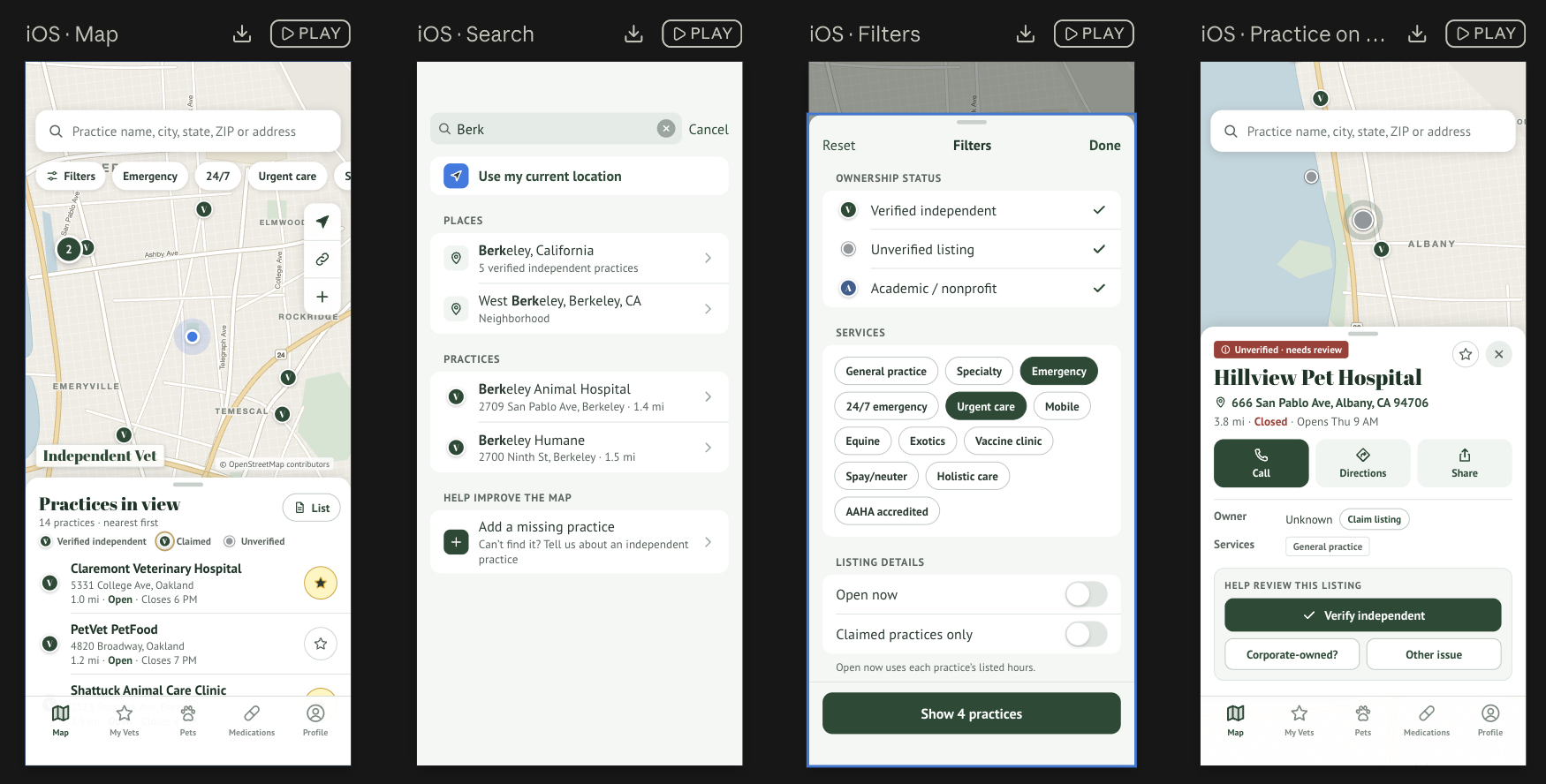
An example of Claude Design’s output for the iOS app: map, search, filters and practice details. Click to enlarge.
I then brought those wireframes into Claude Code, running through its command-line interface, alongside the website codebase. Having the existing map, data and implementation available gave Claude a substantial foundation. We could spend our time extending something that already worked.
Claude recommended getting iOS under way first, with Android following a few steps behind in parallel. That became the working pattern, with product decisions carrying across as the two apps developed.
All of the heavy lifting was done using Claude Opus 5.5 at extra-high effort. I also used GPT-6 Astra at high effort to review pull requests to the main website repositories and provide occasional input.
Claude split the work into eight milestones, starting with the core features and gradually building out from there. iOS stayed one milestone ahead of Android, and we’d check in after each milestone to briefly test what had been built and answer questions that came up. It turned sprints that would have taken weeks into work measured in minutes and hours.
The build ran almost continuously over four days, with plenty of back and forth. I answered questions, made high-level architecture decisions and tried the apps as they took shape.
Making the product decisions
Choosing native was one of several decisions I stayed involved in. Others included how to handle regions, how to store pet data encrypted in the cloud, and how to make those records available when someone moved to a new device. I wanted the records to remain available if a phone was lost or replaced.
One particularly interesting decision was whether to show corporate-owned practices alongside independent ones. I decided to keep the map focused on independent practices by default, with corporate practices available through the filters.
Independent Vet exists to help people find locally owned practices, but in an emergency, with limited local options, someone may need to see every practice nearby. I also felt that people would be less willing to switch between apps than between browser tabs. The app needed to be useful enough that they could stay in it.
These were the kinds of questions I could bring product judgment to, even without being the person writing the mobile code.
Connecting everything and getting into testing
Writing the apps was only part of the work. Getting the services connected and the builds into testing involved a lot of setup across Clerk, my authentication platform, Cloudflare, Google Cloud Platform, Google Play Console and Apple’s App Store Connect. It was by no means a straightforward process.
Claude was incredibly helpful here. It explained what needed to be configured and guided me through the work across those services. I handled account setup, DNS configuration, secrets and webhooks as needed. The development setup also used MCP integrations with Cloudflare and Clerk, giving Claude Code a way to work with those services.
The back and forth mattered just as much here as it did in the app design. I still had to work through the accounts and consoles, but I had help understanding what needed to happen and how the pieces fitted together. That support carried through to Google Play Console and App Store Connect, getting the apps set up and out into testing, and eventually submitted for review.
This was a substantial part of what made the whole project manageable. A working app on a development machine is one milestone. Connecting it to the services it depends on and getting a build onto a phone for testing involves more work, spread across systems with their own requirements and configuration. Claude helped me work through that process as well as the code.
The apps didn’t come fully baked
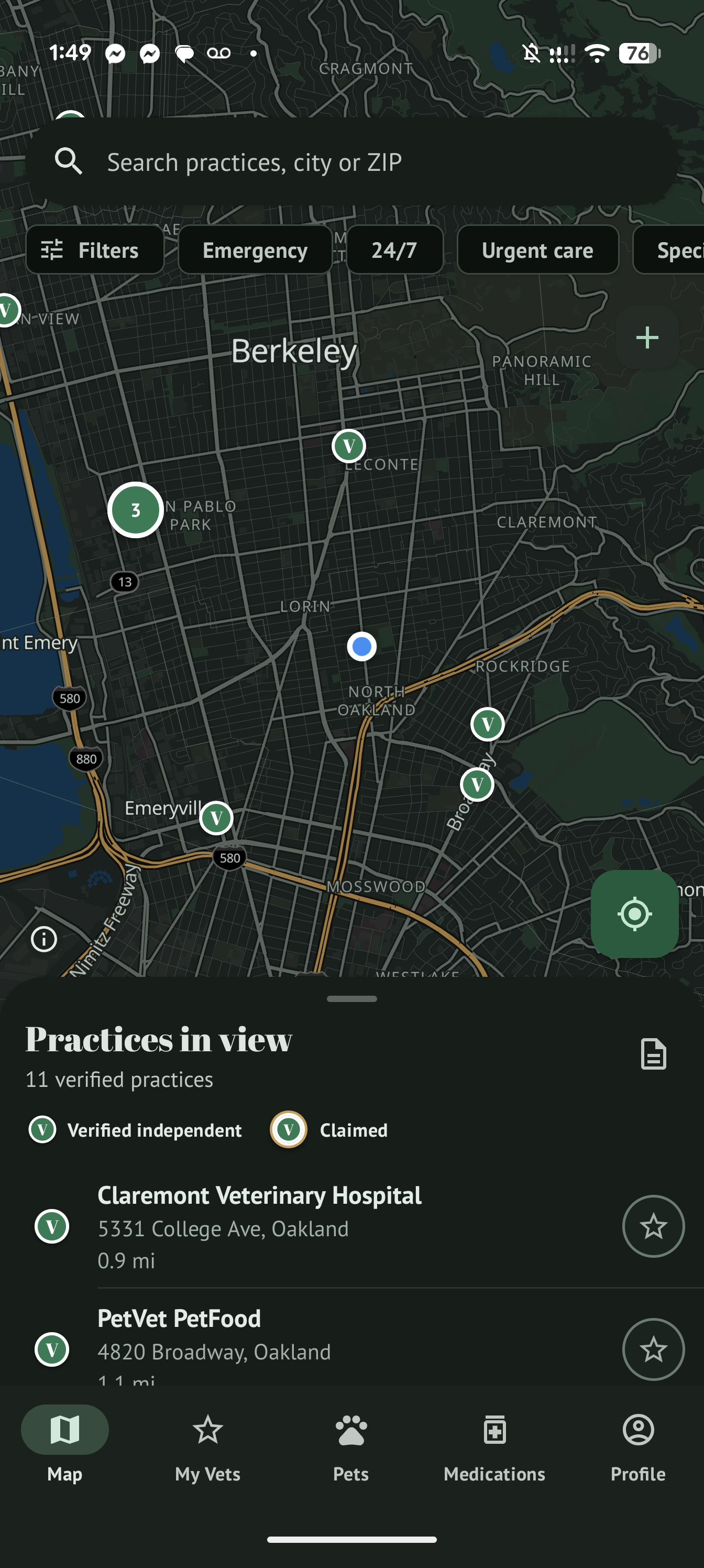
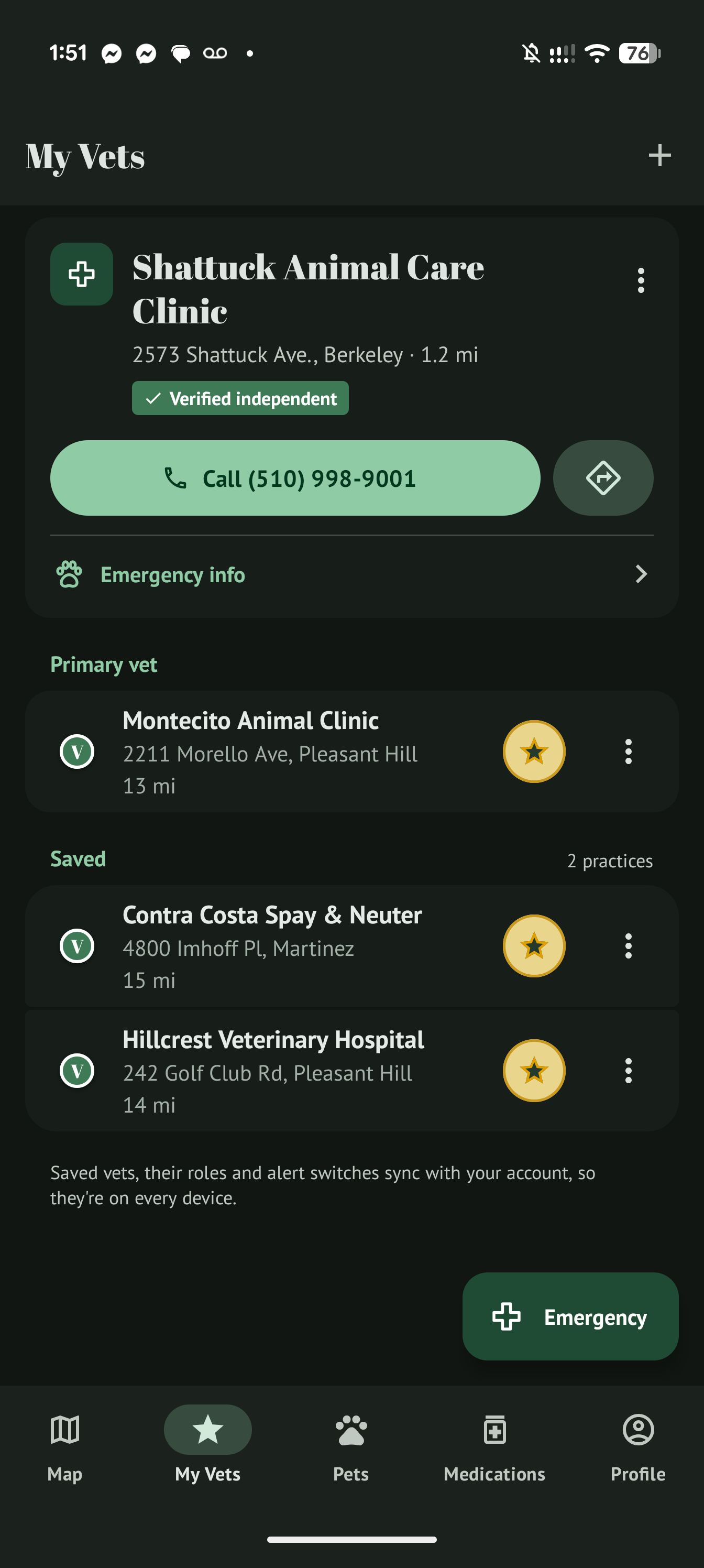
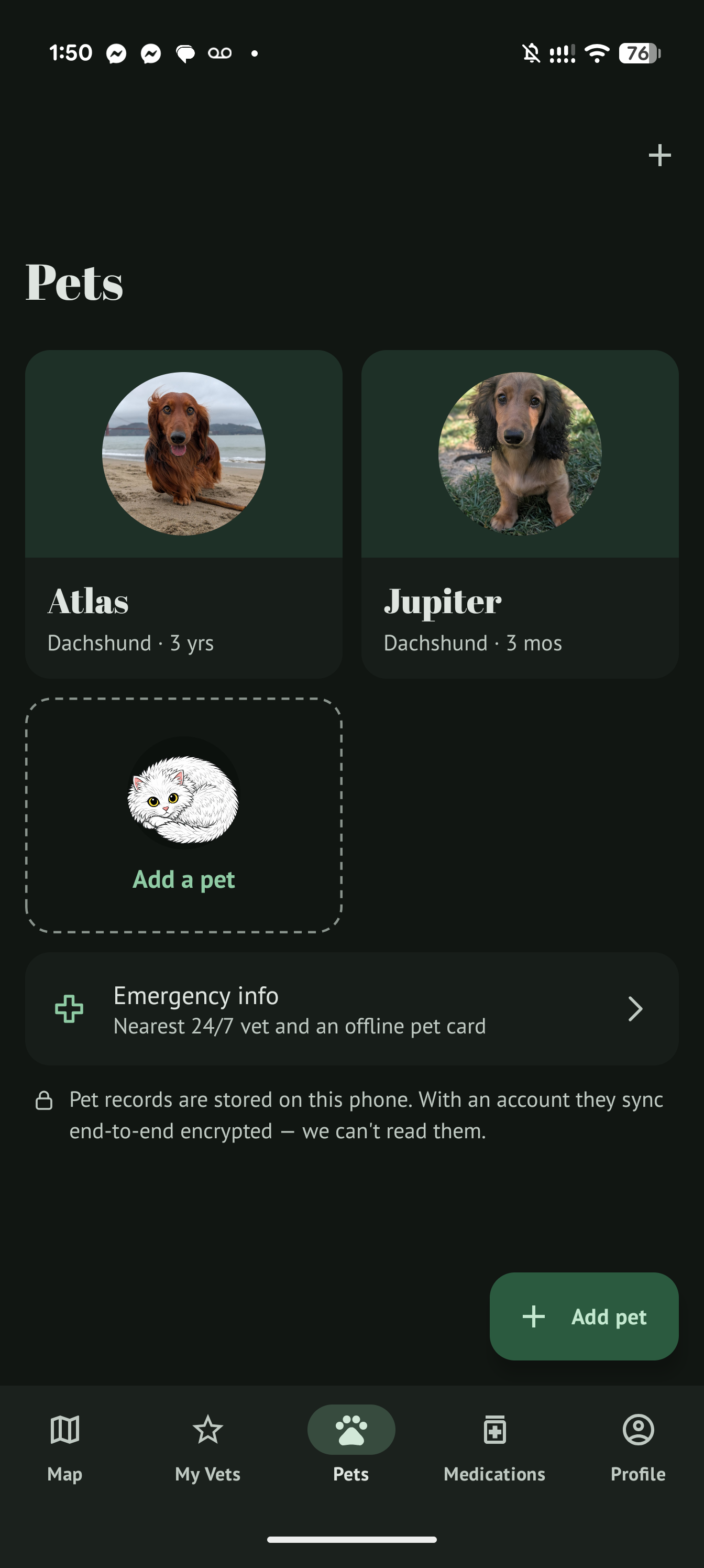
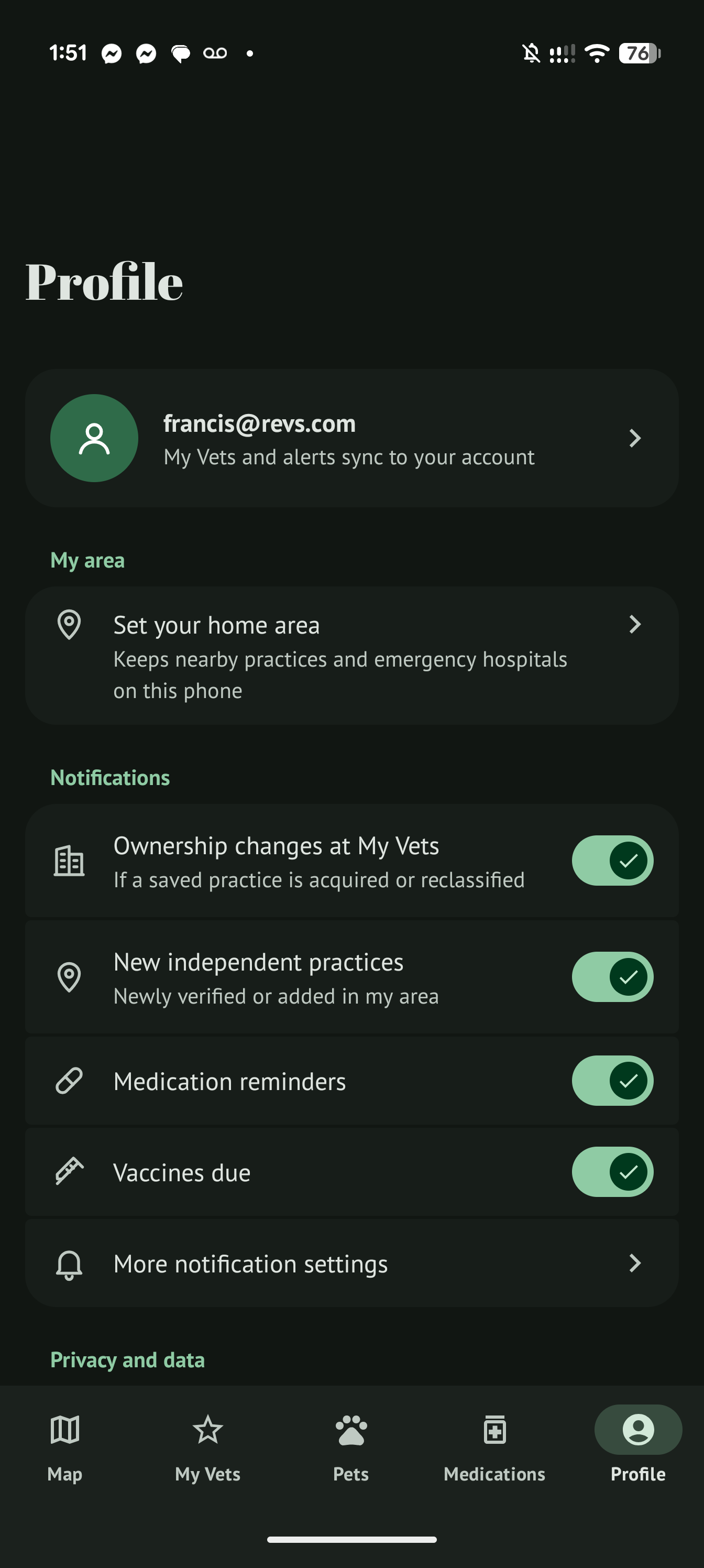
I spent a lot of time testing on both an iPhone and an Android phone, and found plenty of bugs. In one case, tapping something in the Android app sent it into a loop that prevented me from exiting. There were also interface improvements and design changes that became apparent as I used the apps.
The apps definitely did not arrive fully baked. But they were good enough to test and improve incrementally, and Claude was very good at debugging, suggesting fixes and implementing them. It didn’t feel like whack-a-mole. Each round of testing and fixing moved things forward.
That was a big part of the experience for me: I could use the product, identify what was wrong or awkward, and work to improve it. Claude also has some great intuition on how to fix or improve things given direction. My time went into testing, decisions and feedback, with a fast turnaround on the implementation.
 Map
Map
 My Vets
 Pets
Pets
 Profile
A game-changer
The roughly US$5,000 covered API credits. It doesn’t include my time, other infrastructure and account costs, or the work already invested in the website and data. Those foundations gave this project a substantial head start.
Even with that head start, I would previously have associated two separate native apps with teams of people, months of work and an infeasibly big development budget. Getting to submitted first versions in a few days changed what I considered practical.
For someone whose imagination has often been constrained by finding engineering time, this feels like a game-changing unlock.
My takeaways
-
Now you can just make things. Your agency, creativity, product taste and willingness to put in the time go a remarkably long way. You still need some understanding of the fundamentals and a budget for the tools, but the cost feels like pocket change compared with the development budget I would once have imagined. The decision to get started is increasingly in your own hands.
-
The expectations for an MVP have shifted. This experience has raised my own bar for a minimum viable product. In a few days, I could get to native apps with useful features, a considered interface and something substantial to test. There were still plenty of bugs to fix, but I could spend more time refining how the product worked and felt, even at this early stage.
-
Using multiple frontier models builds confidence. Having GPT-6 Astra review website pull requests and offer occasional input gave me another perspective alongside Claude’s work. I like being able to ask a second model to question an approach or review a change. That adds confidence, while hands-on testing remains essential.
-
Subscription plans can go much further than API credits. A subscription got me out of a bind toward the end of the build, after my API credits had expired. Based on the usage reported by
/cost, my US$100 Max subscription seemed to deliver over US$3,000 in equivalent API usage. That was a striking difference for this project, and something I’d factor into how I fund future work. -
Invest in a workhorse machine and a good screen setup. My setup was a MacBook M5 Max with dual 4K monitors, plus an always-on Mac Mini at home occasionally running tasks in the background. There is still a lot happening on your own desk: development tools, builds, simulators, service consoles and the apps you’re testing. A capable machine and enough screen space to comfortably follow the work make it easier to stay involved, spot problems and keep moving.
Both apps are now in beta testing, and I have plenty to learn from how pet parents actually use them. For now, I’m excited to have taken an idea this far, and even more excited to get it into people’s hands.